Playing GP-33 on other speakers
What it is
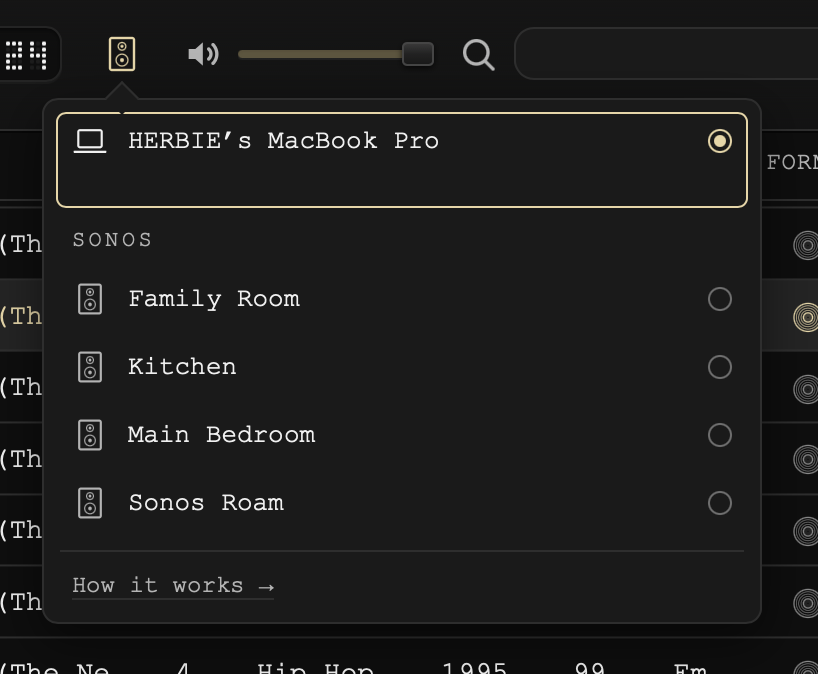
The speaker button sits on GP-33's deck, beside the volume. Click it to choose where your music plays: on your Mac, or on the Sonos speakers in your home.
Your Mac
The first row is your Mac, by its name. GP-33 plays wherever your Mac's sound goes: its own speakers, headphones, or anything plugged in.
A Bluetooth speaker plays the same way. Connect it to your Mac once, in System Settings → Bluetooth. When it's connected, your Mac sends its sound there, and its name shows under your Mac's, with the Bluetooth mark.
To play somewhere else on your Mac, choose it in Control Center → Sound. GP-33 follows.
Sonos
GP-33 finds your Sonos rooms by itself, as long as your Mac is on the same network. There's no account to sign in to and nothing to set up in the Sonos app. Every Sonos works this way, older speakers included. The rooms can take a moment to appear the first time you open the list.
- Click a room to play on it. Your Mac goes quiet, and the music plays on Sonos.
- Click more rooms and they play together, as one group.
- Click your Mac again to bring the music back to it. The rooms stop.
- Music starts on Sonos a few seconds after you press play. The speakers gather a little music before they begin, so it never stutters.
- Pause is instant. We quiet the speakers first, so nothing plays on after you press pause.
A lit lamp shows where the music is playing. It plays on your Mac or on your Sonos rooms, one or the other, the way Apple Music does.
Your Mac may ask whether GP-33 can find devices on your network, or accept incoming network connections. Choose Allow. Your Sonos speakers fetch the music from GP-33 over your home network, and this is how. Choose Don't Allow and the rooms stay silent; you can change it later in System Settings → Privacy & Security → Local Network, and in System Settings → Network → Firewall → Options.
Volume
Each Sonos room you've clicked has its own volume in the list. The volume on GP-33's deck moves every room up and down together, and its mute quiets them all.
What it doesn't reach
AirPlay speakers and TVs aren't in the list: macOS doesn't let an app other than Apple's own choose them. You can still send all of your Mac's sound to one from Control Center → Sound, and GP-33 plays there along with everything else on your Mac.
What we never do
Your music never leaves your home. GP-33 plays to your speakers over your own network, with no account and no internet in between. While a Sonos room is playing, the music is the only thing GP-33 shares on your network, and only your speakers fetch it.
Still need help? hit us up.